Watch the whole scene at once
A scene rarely has one camera on it anymore. Two responding officers, a dash cam, the store across the street, a neighbor’s doorbell. Reviewing that one clip at a time means holding the other angles in your head, and that’s how the sequence gets lost.
Multi-view is the fix. Pick the videos you want from the Videos page and open them together, up to eight at once. A single master timeline scrubs all of them in step, or you can drive each one on its own when you want to linger on one angle. If any of the footage carries GPS data, a map plots each camera’s position and moves with the video, so you can see where everyone was as events unfold.
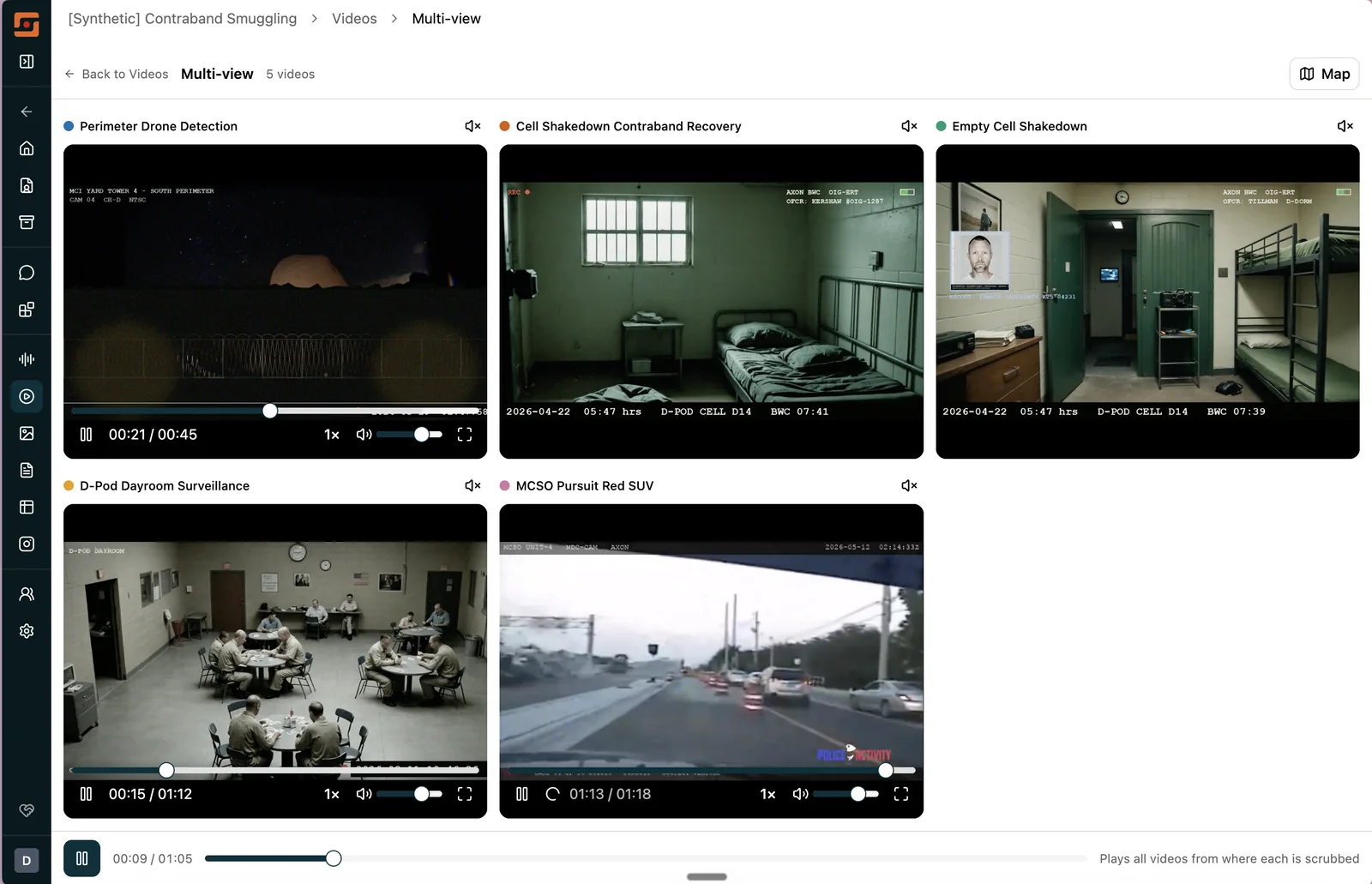
It works with any video in the case, not just body cam. Line up the dash, the vest, and the storefront, press play, and watch it the way it actually happened. We think this one is going to change how a lot of you review footage.
Chat got faster, then it got deeper
Two things were quietly working against Chat this summer, and we fixed both.
The first was speed. A configuration issue had the AI reasoning at full effort on every question, roughly twice the tool calls it actually needed. That’s recalibrated, and answers should feel noticeably snappier across every case.
The second was the opposite problem on hard questions. A ceiling was cutting the AI off partway through deep PDF analysis and multi-file reasoning, so a thorough question on a dense evidence set got a truncated answer. We raised it significantly. And when a complex search hits the processing limit, Chat now hands you the best answer it has from what it found so far, instead of nothing.
A few more Chat improvements landed alongside those:
- Search reaches tables. Searching for a name, a number, or a term in case chat now covers phone records, CDRs, and financial spreadsheets, not just documents.
- Approximate data is labeled. When Chat builds a table from its own reasoning rather than from your evidence, it says so, in the chat and on any CSV or Excel export.
- “Phone 3” means phone 3. Refer to “the third device” and Chat maps it to the right Cellebrite extraction every turn instead of re-guessing.
Evidence arrives the way it left
A good chunk of August went into the unglamorous work of making sure what you upload lands in Longeye looking the way it did on the way in.
Axon imports now keep their folder structure, so if you file by case type or date in Axon, you’ll see the same layout here. Body cam footage links automatically to cases whose titles are purely numeric (those were being skipped), and if you create a case under a placeholder and rename it to the real agency number, Longeye re-runs the Axon match on its own.
Cellebrite call records and audio from UFDR exports now show the device timestamp, not the day the file was imported, which matters when you’re rebuilding a timeline. And .mts files from surveillance systems and body cameras run through the full video pipeline instead of landing as unsupported.
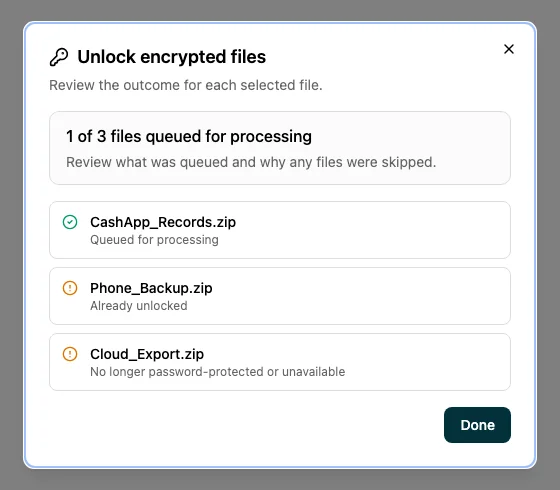
Encrypted jail call recordings got the same treatment. When AES-encrypted audio from a jail management system lands in a case, you’ll see a banner and an unlock dialog. Enter the password and Longeye handles the rest, no outside tool required.
Uploads that tell you the truth
Older pending files in a case were showing up in a newer batch’s progress count and throwing off the estimate, so a fresh upload could look like it had barely started. Progress now tracks each batch on its own, and the count and time remaining reflect only the files you’re uploading right now.
Drop several folders onto a case at once and each one keeps its structure under the parent instead of flattening to a single name. Longeye also warns you before a page refresh would discard a transfer in progress. And photos uploaded straight to a case’s evidence folder now get captioned, indexed for search, and made available in Chat, the same as everything else.
Social media evidence, in place
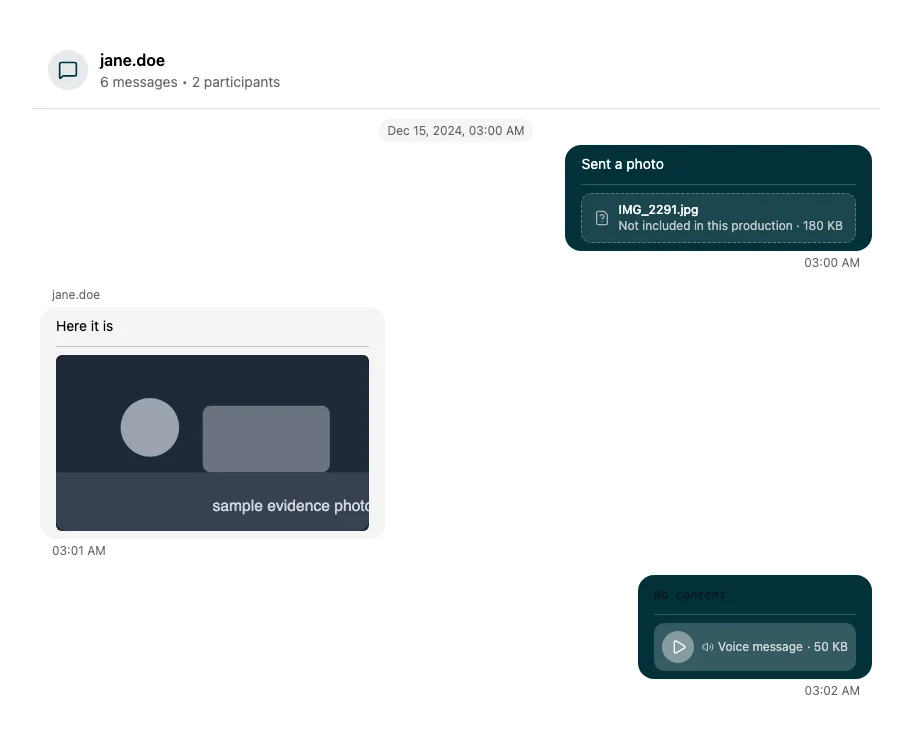
Attachments in social media threads now render inline, so a photo, voice message, or video shows up in the conversation where it was sent instead of behind a download. The Images tab for social media evidence also shows when each image was originally posted, which helps when you’re rebuilding a timeline from a warrant return.
For org admins
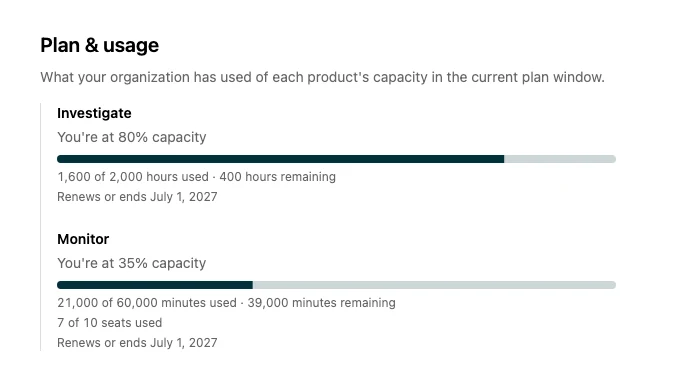
Org settings now have a plan and usage view: hours used against your agency’s cap, utilization, seats consumed, and when the plan window resets. Seat caps are enforced too. Once an agency reaches its licensed seat count, adding another role is blocked rather than silently allowed.
If your agency needs to complete the CJIS Security Policy cloud computing questionnaire (Appendix G.3), you can now fill it out in Longeye and export a proper .docx.
Longeye Academy
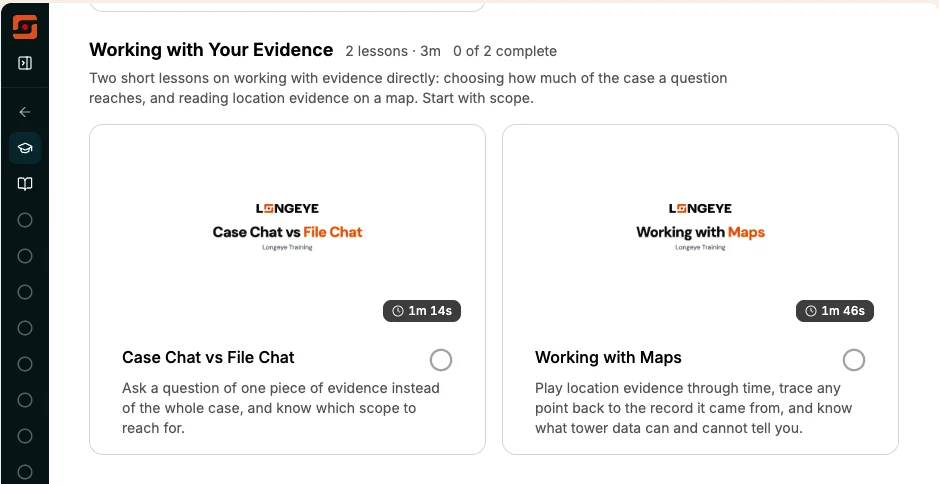
There’s a new course, Working with Your Evidence, with two short lessons. The first covers scoping a chat question to a single piece of evidence instead of the whole case. The second walks through location data and cell tower maps, including what tower data can and cannot tell you. A good one to point new investigators at.
All 12 Academy lesson videos now have English captions with a CC toggle. And “Your First Log In,” the lesson people need before they can sign in for the first time, was itself behind the login. It’s now open at the same URL, and the welcome email links straight to it.
Report writing
- Enhance reads the room. Select text in a report for an AI rewrite and Enhance now reads the surrounding passage first, so the suggestion fits the paragraph it lands in.
- “Read that back” returns the text. Ask Chat for a section of your report and you get the stored text, not a tidied-up summary presented as the original.
- Pasting keeps your content. Pasting screenshots or complex table cells was silently discarding content on save. That’s fixed, and anything that can’t be rendered now shows a clear warning instead of disappearing.
Under the hood
More than 100 bugs fixed this month. A few worth naming: evidence search in case chat was returning no results for some investigators (a scoped-search regression, now resolved); the expired-session screen was looping instead of routing to a fresh login; empty folder renames were blocked by a spurious guard; and upload batches that exhausted all retries were permanently stuck and are now recoverable.
Case-processing time estimates were running on an eight-week-old baseline. They’re refreshed, and audio-heavy cases in particular should show noticeably more accurate estimates.
As always, find us at support@longeye.com if you have questions or feedback.