November Product Update 🦃
October went by in a blur: Orlando for IACP, a lot of airport lounges, and a lot of conversations about what would make the job easier. Here's what we built.
Thank you to everyone who stopped by our booth at IACP. I talked to more of you in four days than I usually get to in a quarter, and the best part of those conversations was hearing how you work a case and what would let you get through more of it. That’s how we build Longeye: our engineers sit next to people who spent careers doing the job, and we build toward the next thing that makes it easier.
If you missed us in Orlando, I’m hosting The Debrief on November 18 and will walk through all of this on a (synthetic) case. Bring questions.
This month’s theme is the whole case: every minute of a recording, every document in the folder, every member of the team on the report. Here’s what shipped 😅
Chat reads the whole thing now
The big one. Until this month, if you asked Chat to summarize a 25-minute interview, it was working from roughly the first 40 seconds. The rest got trimmed before Chat ever saw it, a classic case of the right arm not knowing what the left arm was doing. Now Chat now reads recordings up to an hour long in full, and anything longer it reads in order, page by page.
Same story with documents. The search used to stop at the first 200 files, so on a big case your text files and emails were never searched at all. Chat now works through every document and tells you how many it scanned, so “no matches in 347 of 347 documents” actually means no matches.
A few more things Chat got better at:
- Ask for ten files, get ten files. Name a list of files to review and Chat opens each one and tells you how many it reached. Say “batch 2” and it continues.
- It remembers what it already covered, so long investigations stop re-reading the same files.
- It can look back at earlier conversations. Ask what you and Chat found last week and it reads your past chats on the case. A Privacy setting controls whether Scratch chats are included. There’s a short Searching Your Case Chats lesson in Longeye Academy.
Reports for the whole team
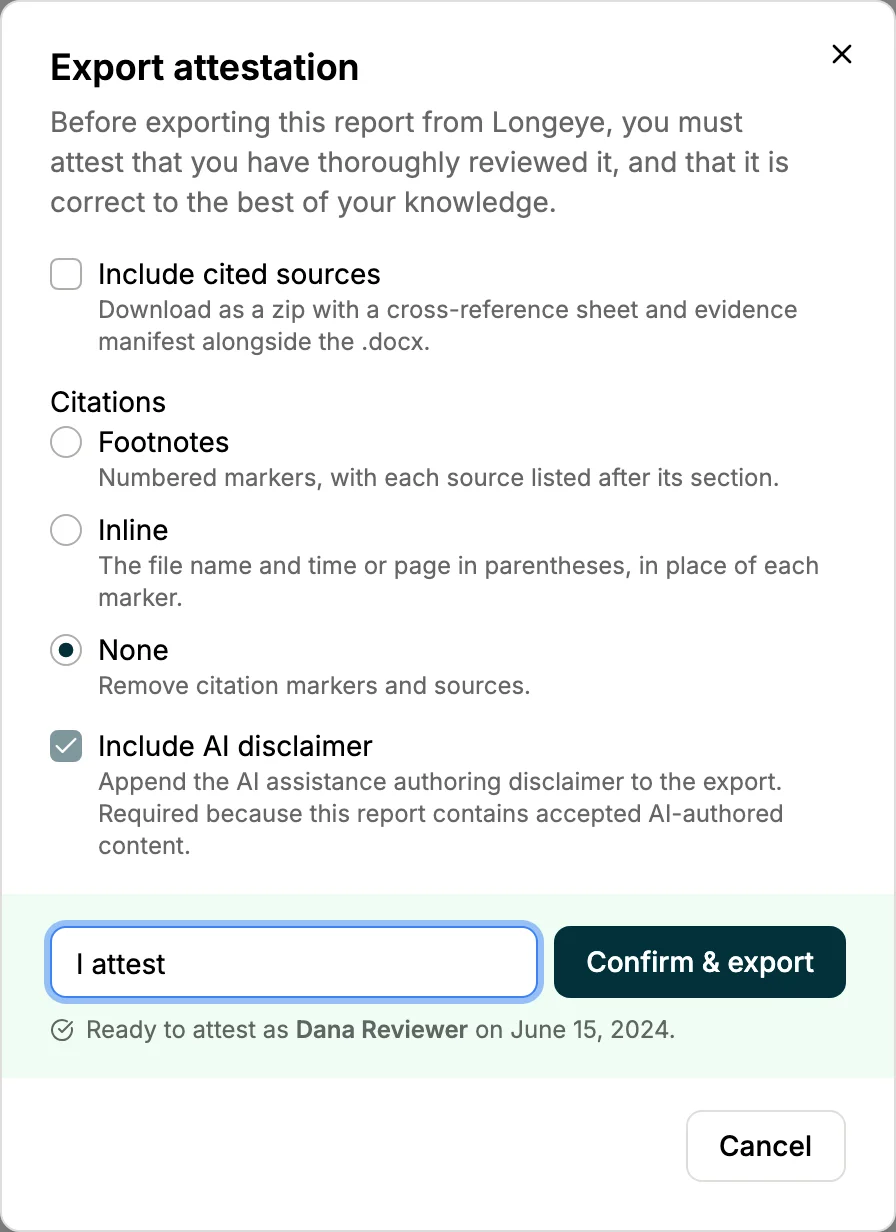
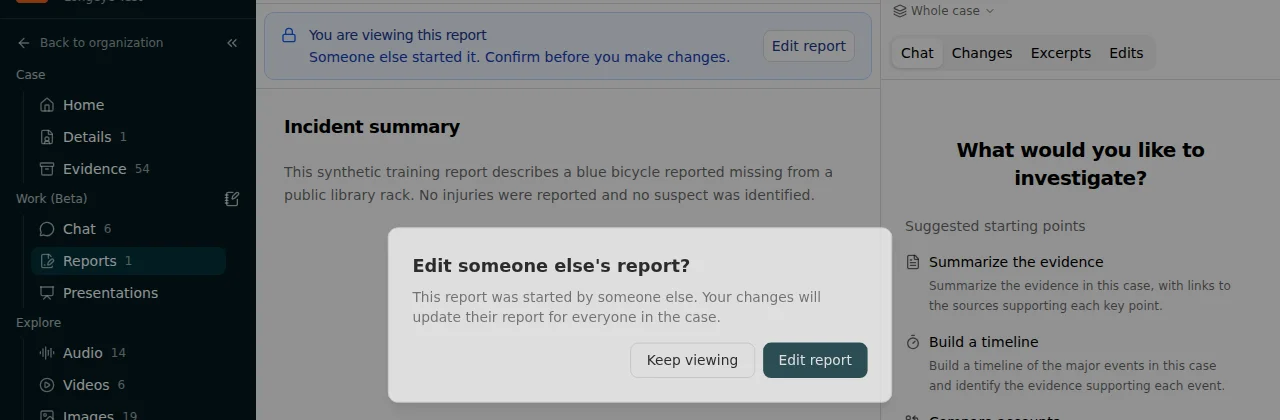
Reports used to be a one-person show: only a case admin could create or edit a draft. Sergeants in Orlando told me how much faster a case would move if the whole unit could work the draft, so now it can. Any case member can now create, edit and archive reports. The first time you open a draft someone else started, Longeye asks you to confirm before you make changes, so nobody edits a partner's affidavit by accident. Viewers stay read-only.
Exports got the two options I get asked for most. Tick Include cited sources and you get a .zip with the report, every evidence file it cites, and a spreadsheet mapping each footnote to its source. Or switch citations to Inline, and references land right in the text as (filename, 1:23–1:35) or (filename, p. 4). Much tidier for the DA's office.
Also new: agency terminology (the street and officer names transcription keeps getting wrong) is now underlined in the source narrative with the original one click away, and an All reports / My reports toggle filters busy cases down to your own drafts. Walkthroughs for making, editing and exporting a report are in Longeye Academy.
Files that used to land as “other”
Every file we can’t read ends up in a bucket called “other,” and every file that climbs out of it is evidence you can search, chat with and cite. This month’s additions:
Hanwha Wisenet NVR recordings. .sec exports had been arriving since the spring with nothing extracted, which looked like a failed upload. They now come through as playable video with audio and a transcript. Have some sitting in a case? Tell us and we’ll reprocess them.
Outlook mail stores. .pst and .ost files now expand for every organization: every email, every attachment.
Phone extractions. Cellebrite email bodies are no longer cut off at 2,000 characters, and the parser imports every record type it finds instead of eight. Tar archives, lone vCard contact cards, phone emails and voice notes all extract instead of stopping at “other.” And Meta is out of beta: Facebook and Instagram returns are a standard part of every case.
Search finds what it used to miss
Keyword search is about 10 seconds faster on every query. (Part of the index was being re-scanned on every read. Oops.) Hyphenated terms work now: AR-15, Watson-Parker, COVID-19. Spreadsheets, CDRs and message exports are searchable past row 2,000, and the Files tab ranks results strongest match first instead of newest upload first.
Patrol: 90-minute narratives and an incidents chart
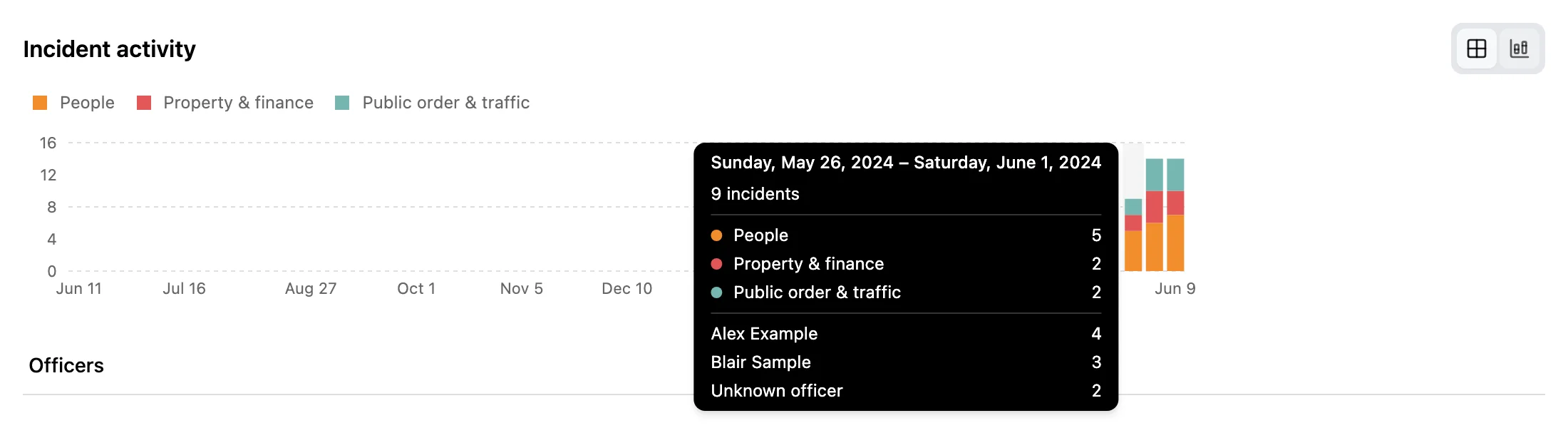
Narrative recordings can now run up to 90 minutes, up from 30, and the draft uses the full transcript. The Incidents page has a new activity chart, by day or week, with a per-type and per-officer breakdown on hover. Officers can also refine a draft with Chat from their phone.
A few more things
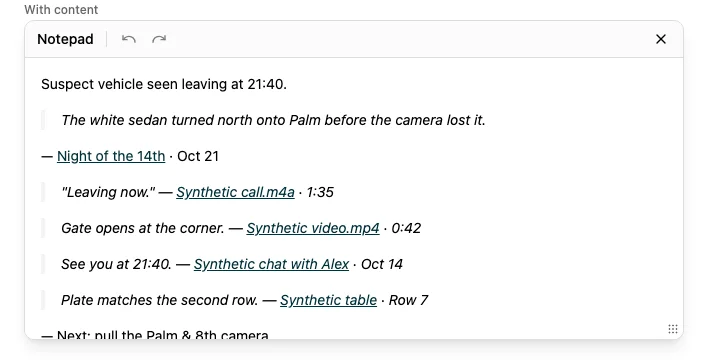
The case notepad moved into the sidebar. It's a panel beside whatever you're looking at now, and every clip you save links back to exactly where it came from: the transcript timestamp, the report section, or the timeline event.
- Teams have their own pages, with Members, Cases and Settings tabs, for organizations with the Teams add-on.
- Admins can resend setup emails to people who never activated their account.
- Case timelines now include photos as scene events, and Chat maps list the files they drew from.
- Stereo jail calls (Monitor) decode each channel separately, so transcripts stop mixing up who said what.
That’s the month. There’s more underneath, mostly reliability work you’ll feel as fewer stuck uploads, but those are the headlines. If something here doesn’t work the way you’d expect, or you’d like a hand trying it on your own cases, write to me at adam@longeye.com, or to the whole team at support@longeye.com. See you at The Debrief on the 18th, and stay safe out there.
Adam
P.S. The “Where’s Guillaume?” billboard hunt from last month is still on. If you spot him in your city, send us the photo.