Search through your chat history
As AI-powered workers ourselves, we know it can sometimes be hard to find the conversation you had with Chat about that Person or that Thing. We’ve added a new search menu that lets you find old chats using flexible, thematic wording, and we’re excited to expand this search to the rest of the evidence in your cases as well.
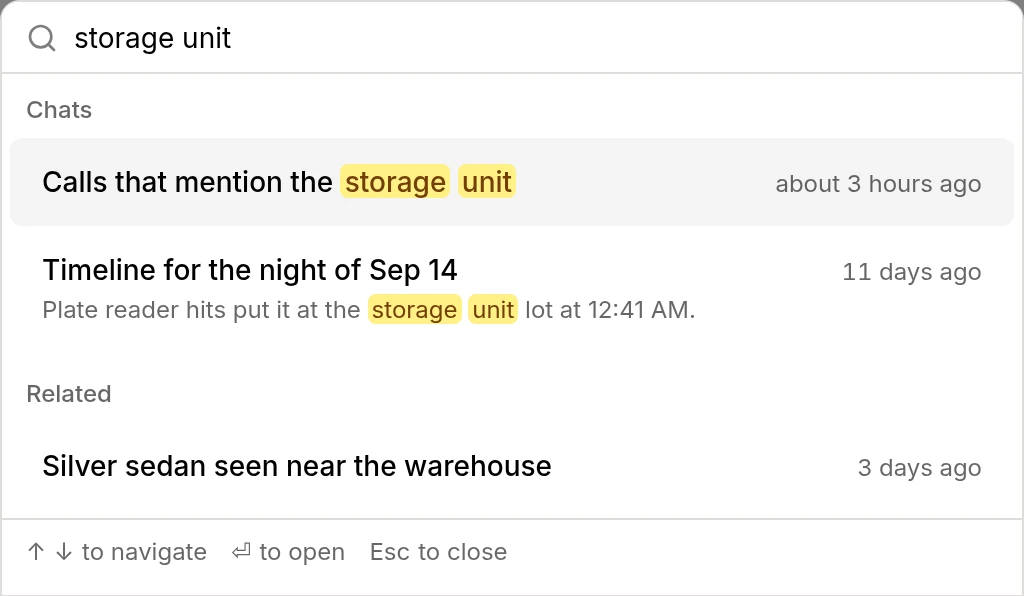
Search by what was said. The search box at the top of the chat history sidebar finds past chats on the case by what was said in them, not just by their titles. Matching words are highlighted, and a result opens at the message that matched. Chats that match what you meant, but not your exact words, are listed under Related.
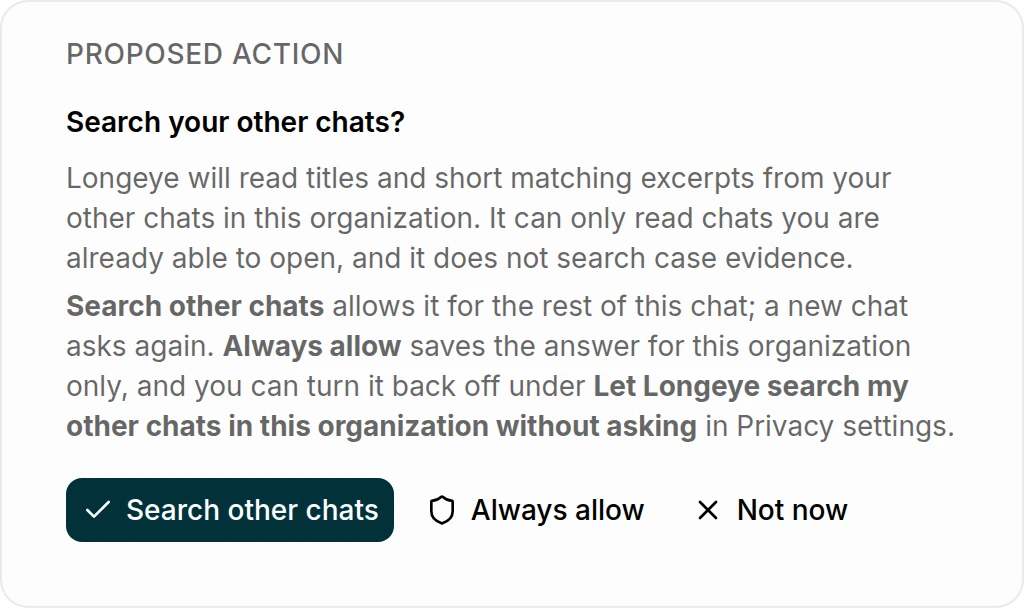
Chat can look through your earlier chats. Ask "what did we find out about the storage unit?" and Chat can search your own earlier chats, on this case, other cases and in Scratch Chat, to pick up where you left off. The first time it wants to in a chat, it asks you first: Search other chats, Always allow, or Not now. It reads only titles and short matching excerpts, and only from chats you can already open. If you choose Always allow, you can turn it back off in Privacy settings.
An email when your case is ready
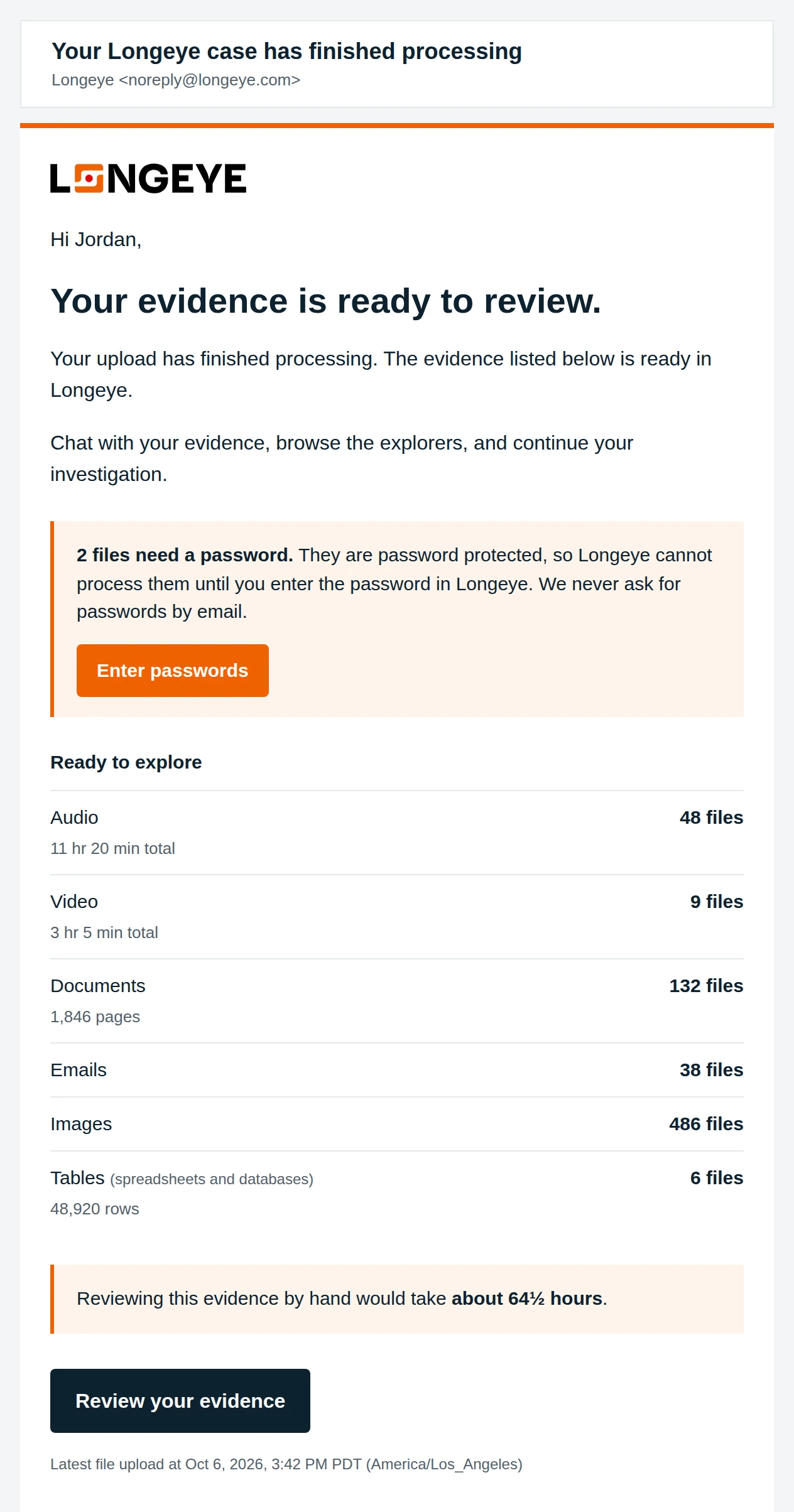
It takes us some time to process your data when you drop us gigabytes at a time 😅. We've heard from you pretty universally that it's annoying to have to come back to the app to check in on progress, so we've done something novel — we now send you an email when it's done!!
Once the whole case finishes processing, everyone who uploaded and still has access gets one email, even across multiple batches.
Chat checks every corner before it answers
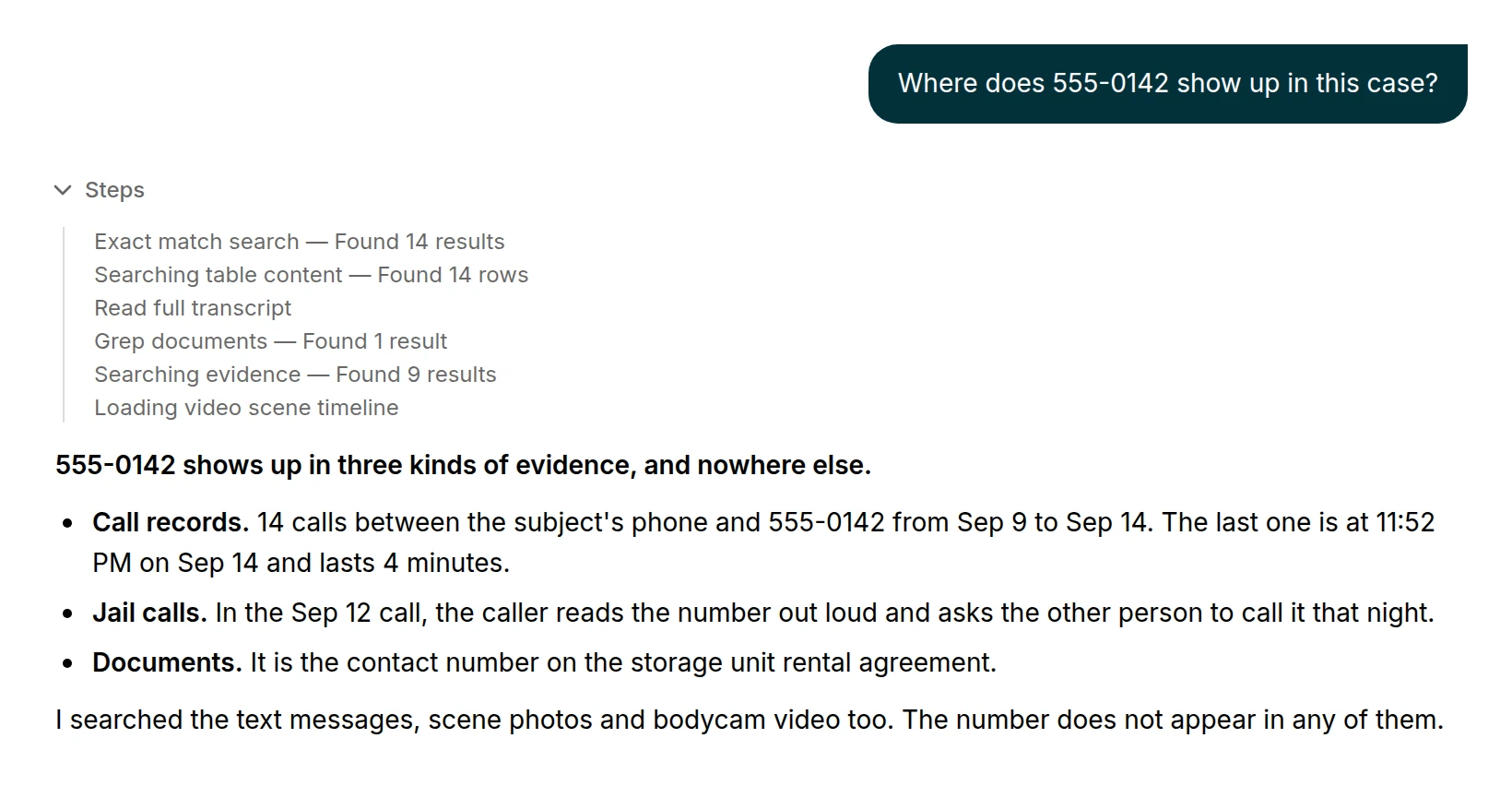
This month we spent extra time improving Chat’s ability to search deep details in your case:
- Chat fully exhausts its search options before telling you “not found.” Chat can no longer claim a name or number is absent until it has searched every kind of evidence the case holds: calls, messages, documents, images and transcripts.
- Big cases stop timing out. Broad questions will now start with broad search, as opposed to Chat trying to look through things file-by-file and eventually running out of time.
- Chat now considers the file metadata. Hashes, photo EXIF data, device make and model, and phone-extraction timestamps are all available to Chat, so “which photos came from the same phone, and when?” can actually get a grounded answer.
- It keeps to what the evidence shows. Chat tells you when a transcript is too incomplete or degraded to rely on. It won’t invent a timezone a source doesn’t name, it says when totals come from only part of a long document, and an answer that opens with a verdict about someone’s guilt gets rewritten to lead with the evidence. Quotes have to appear word for word in the source they cite.
- Long chats remember how they started. Instead of dropping the oldest messages, Chat now condenses them, so names, facts and instructions from early on stay in view. On a wide screen, a slim index down the side lets you jump to any question you asked.
- Case timelines appear in answers. You can see the timeline right in Chat’s response.
- Video search opens at the matching scene. Chat finds objects that were on screen and takes you to the scene where they appear.
- Scratch Chat renders visuals inline. Maps, link graphs, charts and tables appear right in the conversation.
- A newer AI model. At the end of last month, Longeye’s analysis and Chat moved to a newer generation of AI model.
Longeye Academy
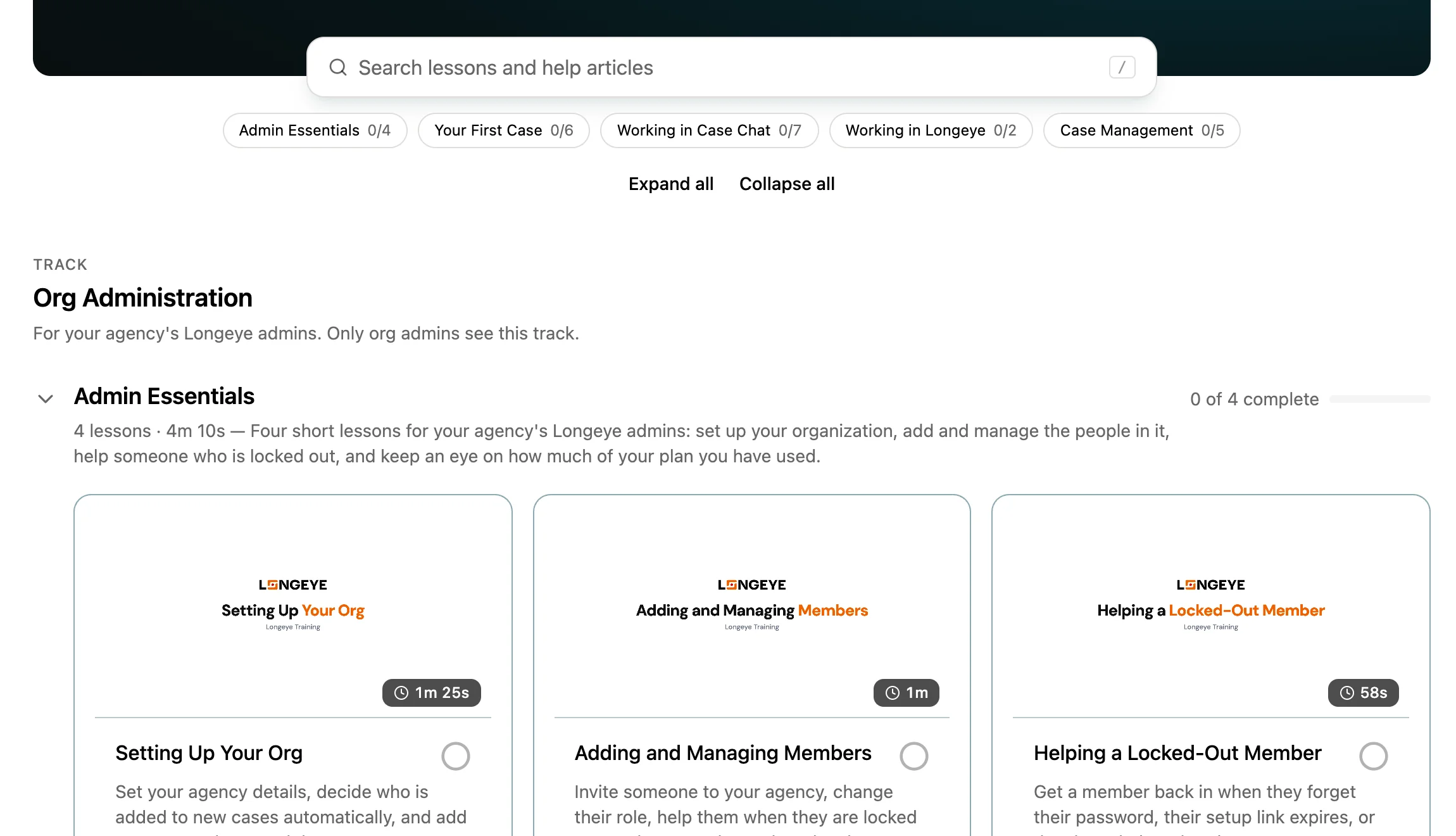
We’ve added two new courses to Longeye Academy:
Admin Essentials
Part of the new Org Administration track, shown first to org admins, this course covers setting up your org, managing members, monitoring usage and helping a member who’s locked out, with notes for agencies on single sign-on.
Case Management
This course covers case access, case settings, adding and removing evidence, and unlocking encrypted evidence.
Also in the Academy: Your First Case gained an Ask & Verify lesson, Working with Your Evidence is now Working in Longeye, and a new search box (press /) finds lessons and help articles.
Support for new file types
Investigators kept bringing us files Longeye couldn’t open, or could only partly read. These now work:
- Facebook and Instagram exports (Meta’s “Download Your Information” archive), laid out in the Meta tab.
- NCMEC CyberTipline reports, loaded into a searchable table that keeps every field.
- Disc images (
.iso) from jail-call vendors and DVR systems, opened and processed like any other upload. - ViaPath ICM jail-call exports, with each call matched to its own metadata record.
- Encrypted
.zip.gpgproductions, which now show the lock icon and open with your password. - Attachments inside Outlook
.msgemails, each processed as its own piece of evidence. - RAR,
.tar.gzand other archives, plus large Word documents, every PowerPoint format, mislabeled Excel files, phone-extraction.msgand.logfiles, Axon Capture.datphotos, and recordings longer than 8 hours.
Email returns carry their full headers. Converted emails now include every header, verbatim: the Received chain, Message-ID, and SPF, DKIM and DMARC results you need to authenticate a provider’s return. You can download both the converted PDF and the original.
File hashes. Every new file gets an MD5 hash next to its SHA-256, each a click to copy.
Big files finish sooner. Huge image-heavy PDFs are read in batches and kept as each batch finishes, so a file with thousands of pages no longer takes about a day. Very large AXIOM exports pick up where they stopped.
That's the month. I'll be writing these updates from here on, so if something here doesn't work the way you'd expect, or you'd like a hand trying it on your own cases, write to me at adam@longeye.com, or to the whole team at support@longeye.com. Happy Halloween, and stay safe out there.
Adam
P.S. If you spot our CEO on a billboard in your city, let us know! We're playing a nationwide game of "Where's Guillaume?" and would be delighted to hear from you.