Wasn't it just June? Summer has flown by, and so have we. We've been spending a lot of time on the road lately, connecting with investigators and attorneys around the country and seeing what y'all are accomplishing with Longeye. Here's what we've been shipping from the airport lounges.
Longeye Monitor is ready for corrections ✨
We’ve spent the past few months turning one of Longeye’s bread-and-butter workflows, jail call triage, into a standalone experience. Longeye Monitor is now ready and available for corrections agencies and jail facilities.
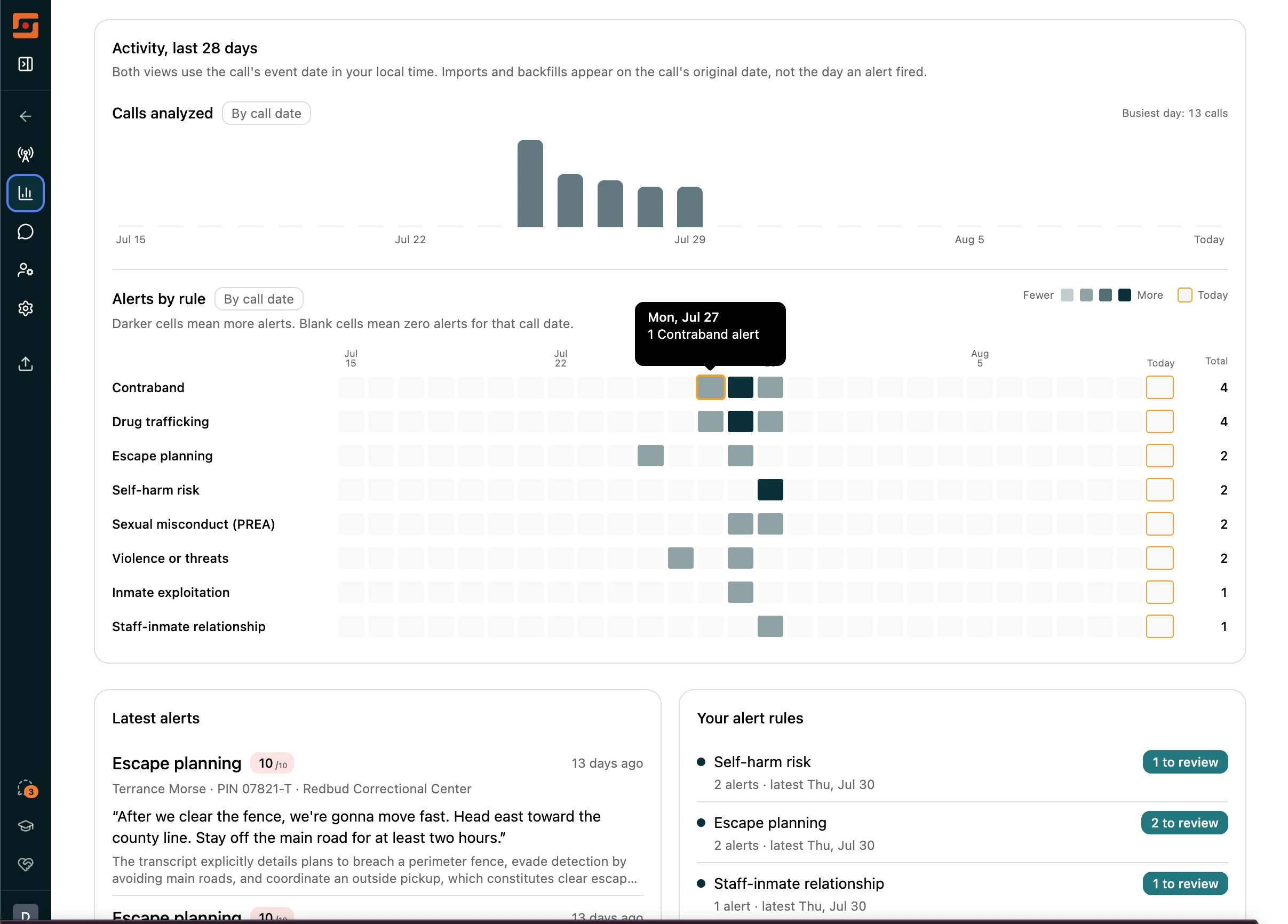
Monitor brings passive and active alerts, sentiment analysis, voiceprint matching, link graphs, relationship analysis, transcript search, and a focused review queue together in one place. Supervisors can move from an alert to the supporting transcript and audio, then document what they found without leaving Monitor.
Chat with your monitored calls. Supervisors can ask questions directly about flagged calls. Chat reads the actual call transcripts, cites specific recordings, and every citation links to the exact moment in the audio.
Alert triage with a CJIS-compliant audit trail. You can review, dismiss, or escalate flagged calls directly from the Monitor inbox. Every decision is automatically logged.
See which rules fired. Each call in the list shows the specific rule names that triggered, color-coded by alert strength, so you can triage the queue at a glance.
Transcript search. The search box reaches full call transcripts using both keyword and semantic matching, not just AI-generated summaries.
Home dashboard. A landing page shows activity since your last visit, your review queue, and 28-day call volume. It gives you a clean starting point before diving into individual calls.
Monitor also includes a caller filter that searches everyone in your corpus, not just the top 20, plus a configurable facility slang glossary and staff roster. One-click call review closes all associated alerts, and person watch profiles surface known aliases.
Preview: Longeye Scratch
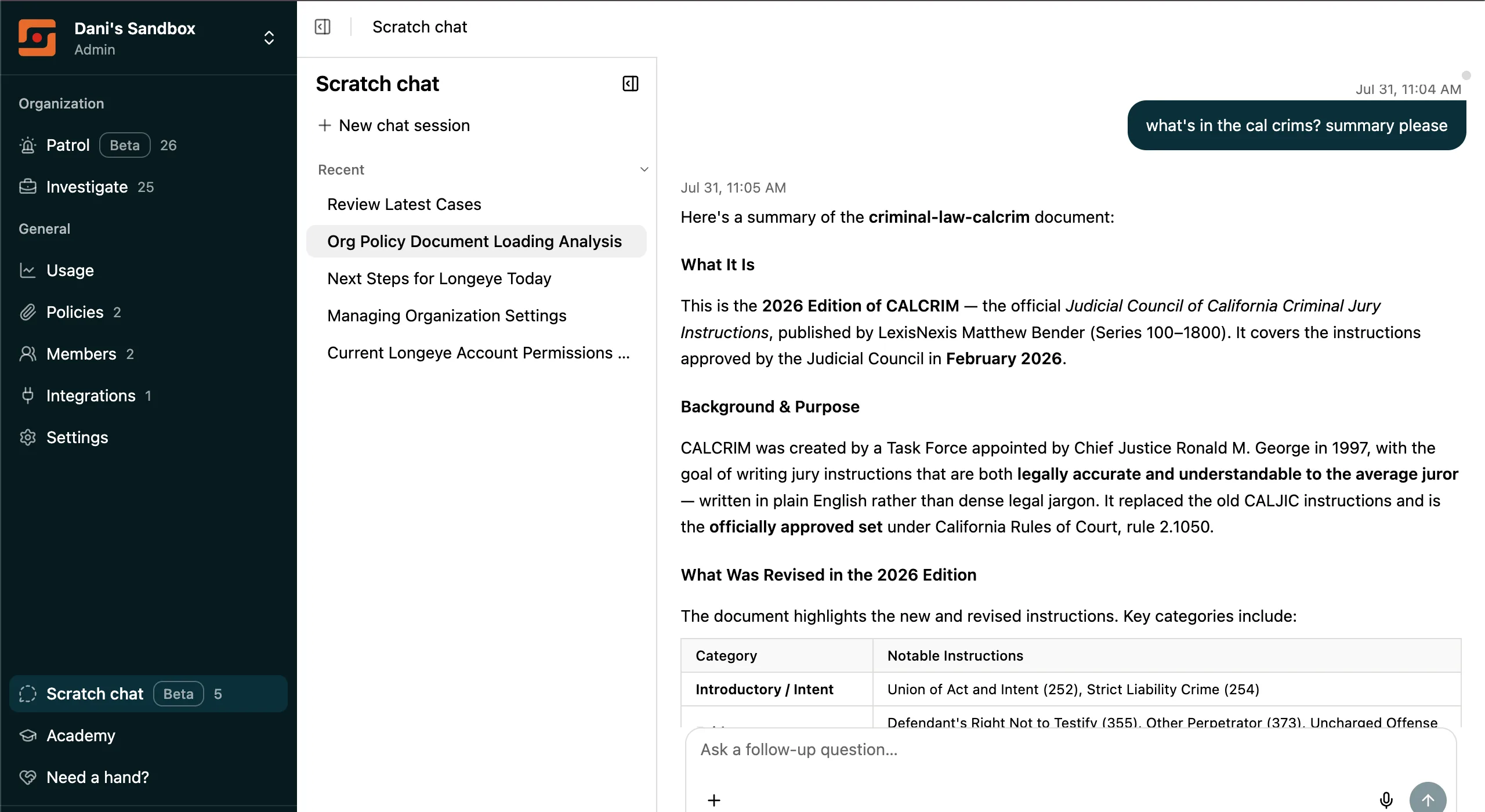
Scratch chat is like ChatGPT, but compliant and in Longeye: a secure, flexible workspace where you can chat with the material that matters to your organization. Upload policies, criminal codes such as California’s CALCRIM, or whatever reference material your team relies on, then ask questions in plain language.
Use Scratch to review reports, summarize lengthy documents, draft emails, explore policy questions, and tackle the everyday work that does not belong to a specific case. Your uploaded materials give the conversation context, so the help you receive is grounded in the sources your organization trusts.
Scratch is available upon request. Contact Longeye at support@longeye.com to request access.
Report drafts
We’ve made significant improvements to the entire report-writing workflow, from the first draft to the finished export. Save reusable language for yourself or your entire organization, then insert it wherever you need it. Want help polishing a passage? Highlight it and select Enhance! to receive a suggested revision that you can accept or reject right in the draft. When it is time to share your work, Word exports preserve tables, headings, and lists as native Word elements. We also expanded the ways you can start a report, including uploading an existing DOCX file and beginning an AI review from there.
New & Improved
Case management. A live processing progress indicator now shows a data-grounded estimate of when evidence will be ready. You can now delete an entire evidence folder at once.
Images. Violence scenes no longer blur by default. Only sexual content, gore, and CSAM keep the blur treatment. Blurred images now show a description before you click through.
Reliability. Large uploads now complete even if your session times out mid-transfer. Sessions stay active while you’re reading or watching evidence, not just while clicking. The mobile app can now be installed to your home screen.
Media and calls. Portrait video thumbnails now render correctly for phone-shot recordings. Recordings over three hours now transcribe without timing out, and jail call timestamps from Securus and ViaPath now parse correctly.
Performance. License plate image filtering dropped from 10 seconds to under a second. Face filtering on large cases dropped from 40–50 seconds to instant.
As always, find us at support@longeye.com if you have questions.