Spring is in the air, and so are new features! Happy March, everyone.
Call history timeline
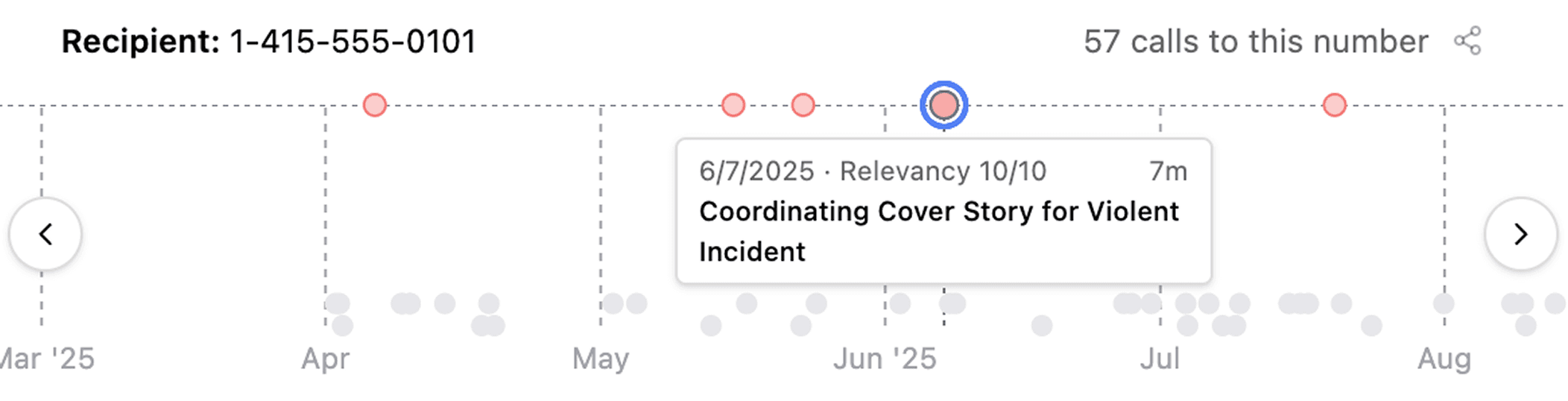
When you review large volumes of jail calls, Longeye now plots repeated calls to the same phone number on a timeline. We highlight relevant calls, and you can click different dots to jump from call to call quickly. We’re hearing this has been really helpful for local PD’s collaborating with federal units on fugitive searches.
Analysis for extremely large PDFs
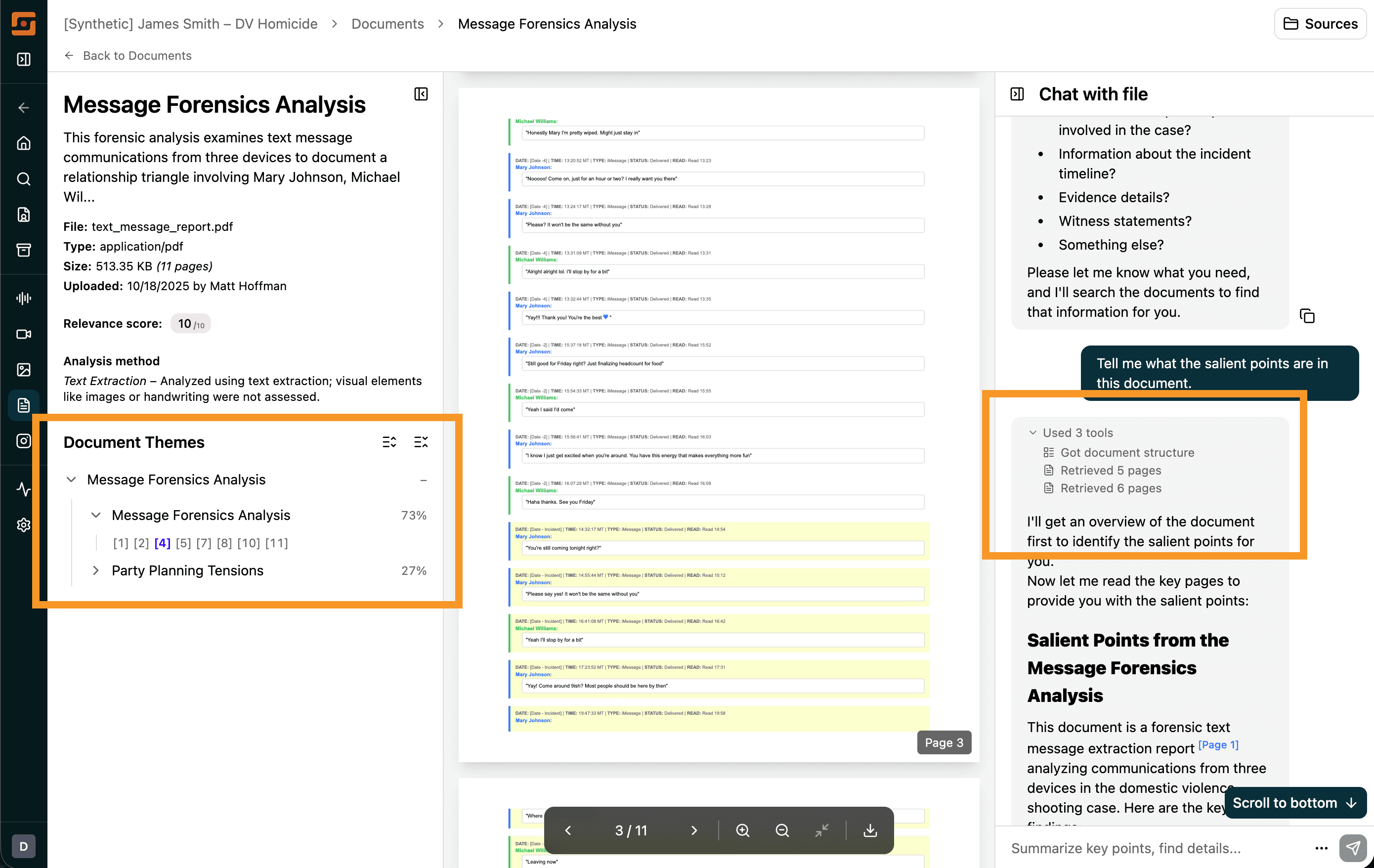
We’ve been working hard to improve support for PDFs with hundreds of thousands of pages (35MB+). This month, we introduced a new document detail page with a theme navigator that groups pages by the themes they discuss.
Document chat is also much better now: each time you ask a question, the chat bar explains how it’s processing your question. PDF citations now cite specific lines, not pages, and content search is much more reliable.
Saved chat history
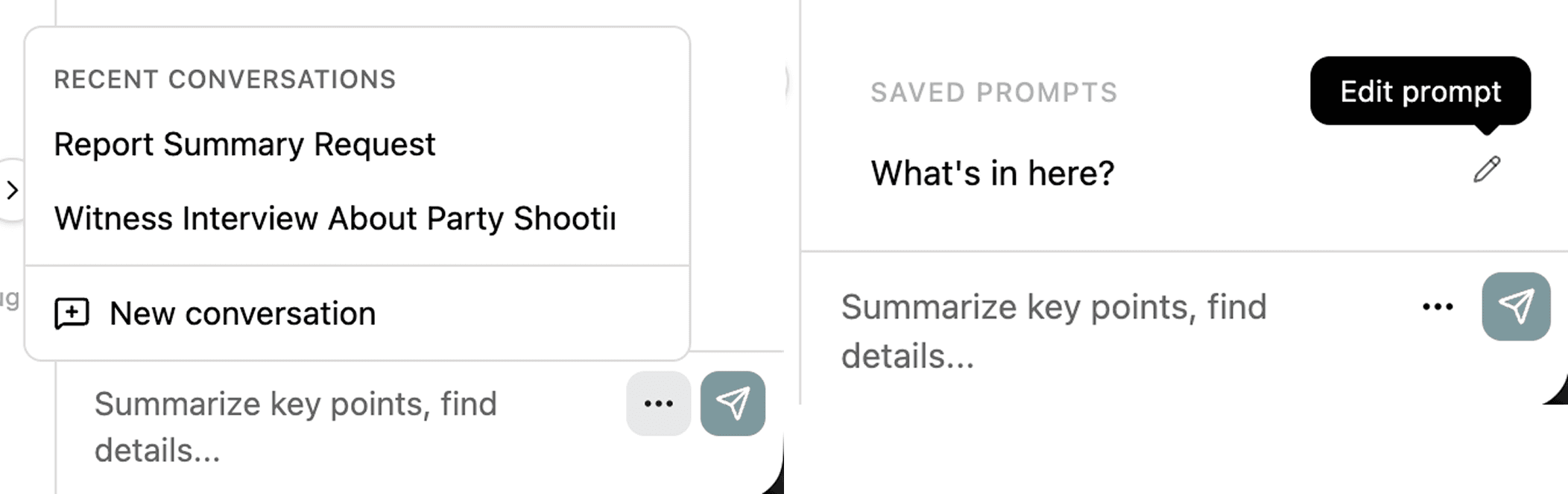
By popular demand, we finally built saved chat history. You can now revisit past chats and continue them—or start a fresh chat—right in the same spot. And, if you share with the org, your teammates can pick up where you left off.
In addition, you can now save chat prompts. If you frequently send the same prompt to different files, save it once and reuse it next time.
Thematic Search is live in Audio & Video
You can now search thematically through audio and video transcripts. For example, if you’re looking for something like “gun,” you can type “handgun” or “violence” and it will come up.
Search across audio and video now also works across languages—so even if the transcript is in Spanish, you can search in English and still find it.
Improved image captioning
In user testing we are observing fewer false positives in image captioning and improved image relevance scoring.
Case management
- Org admins can now manage users directly! You can invite new users, reset their passwords, and reset their authenticators—all without contacting the Longeye team.
- You can now override a file’s relevance with a thumbs up or thumbs down. This automatically sorts it to the top or bottom of your list.
- We now detect common operating system files and skip them by default. You can still view them on your evidence page and request processing, but we won’t process files we recognize as common device files (like icons and application files) unless you ask.
- The file upload progress indicator in the bottom-right corner is now draggable, in case you want to move it around your screen.
- When you upload folders and ZIP files, you can now name them, and we preserve their folder structure to keep you organized as you work the case.
- Face clusters pulled from your images are now sorted by relevance, so you don’t see thousands of celebrity photos high up in your filter options.
Other improvements
- AI-generated case summaries now appear on the Case Details page, giving you an instant overview of your case as soon as processing completes.
- You can now search for exact phrases in audio and video transcripts by wrapping your search in quotes.
- PDF citations now spotlight the exact cited text on the page, not just the page number.
- Unread indicators now show which audio and video tracks you haven’t listened to yet, so you can track your progress through evidence.
- We improved processing of Snapchat exports with better data labeling and classification.
Under the hood
We fixed over 300 smaller issues. We’ve improved ingest speeds, continued to work on reliability, and we’re currently improving metadata extraction from Cellebrite UFDRs.